 Every social media manager and small business owner understands the power of a strong visual. A post featuring a clear, eye-catching image consistently draws attention and engagement far faster than plain text.
However, producing high-quality imagery every week presents a real challenge for brands without a dedicated design team or a large creative budget. AI image tools provide a practical, scalable solution to this ongoing bottleneck.
What Is an AI Image Generator?
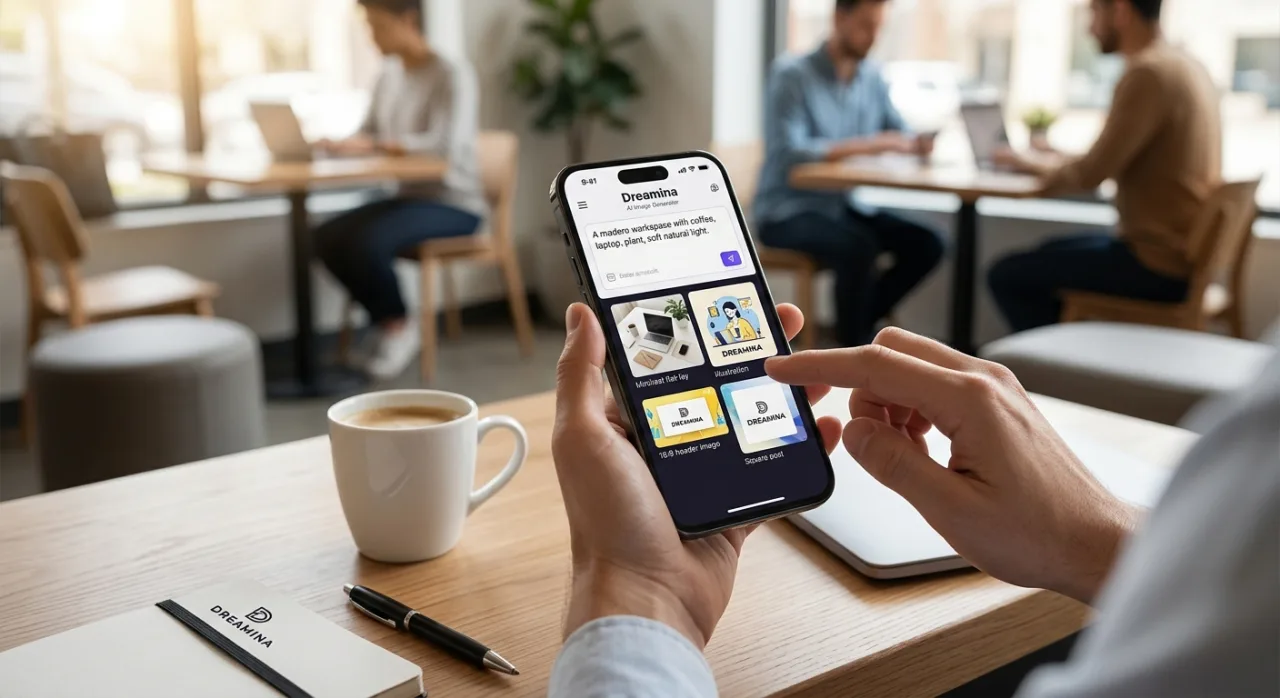
An AI image generator creates brand-new visual assets directly from written prompts. For instance, inputting a prompt like “a minimalist flat-lay of a laptop and coffee on an oak desk illuminated by warm morning sunlight” produces a custom photo matching that exact vision. Many modern platforms also accept reference photos, allowing creators to guide composition, style, or color balance.
Because these visual assets are generated algorithmically rather than shot in a photography studio, the first attempt requires refining. Most content creators test two or three prompt variations to dial in the exact aesthetic, lighting, and mood needed for their campaign.
Practical Applications in Digital Marketing
Marketers use generative AI tools across virtually every digital touchpoint to accelerate visual workflows:
-
Social Media Assets: Design square feed posts, vertical stories, and eye-catching carousel slides.
-
Content Marketing: Create high-resolution blog headers, featured graphics, and newsletter banners.
-
Ad Campaign Testing: Produce multiple visual variations to rapid-test visual concepts before launching full paid ad sets.
-
Presentation & Pitch Decks: Illustrate storyboards, mood boards, and client concepts rapidly.
+-----------------------------------------------------------------------------------+
|                            MARKETING WORKFLOW INTEGRATION                         |
+-----------------------------------------------------------------------------------+
|  [ Prompt / Brief ]  -->  [ AI Image Generator ]  -->  [ Inpainting / Retouch ]   |
|                                                                 |                 |
|  [ Final Published Asset ] <-- [ Vector Logo & Text Overlay ] <--                 |
+-----------------------------------------------------------------------------------+
Pro Tip: Generative tools work best as a creative launchpad. Proprietary brand colors, vector logos, and accurate product packaging still require human fine-tuning or secondary graphic editing to ensure authentic brand representation.
Free Browser-Based Generators vs. Desktop Tools
Starting with a free online AI image generator lets creators experiment without upfront financial risk. Most web-based services offer daily credit allocations, making them ideal for standard social posting schedules.
+---------------------------+---------------------------------+----------------------------------+
| Feature                   | Free / Web-Based Generators     | Paid / Desktop Ecosystems        |
+---------------------------+---------------------------------+----------------------------------+
| Accessibility             | Instant access via browser      | Requires download/local hardware |
| Device Support            | Works across Mobile and Desktop | Primarily high-end PC / Mac      |
| Production Volume         | Daily credit limits             | Unlimited or high-volume queues  |
| Resolution & Fine Control | Standard HD output              | Advanced 4K/8K upscale & layers  |
+---------------------------+---------------------------------+----------------------------------+
Browser-based web apps eliminate installation barriers, enabling social media managers to draft, edit, and publish visual content directly from mobile devices while working on the go.
Platform Focus: Features and Capabilities in Dreamina
An example of modern AI image technology in action is Dreamina, an AI generation platform developed by CapCut. It brings together multiple visual models such as Seedream and GPT Image giving creators flexible options ranging from photorealistic visuals to clean graphic illustrations.
Core Technical Capabilities
-
Multi-Engine Selection: Choose specialized rendering engines tailored to realistic product photography or digital graphics.
-
AI Agent Batching: Generate single assets or launch up to 40 visual variations from one primary prompt.
-
Fast Rendering Speed: Delivers fresh image batches in 10 to 20 seconds.
-
Aspect Ratio Flexibility: Native presets for 1:1 (feed posts), 9:16 (Reels/Stories), 16:9 (YouTube/Web headers), as well as 4:3 and 21:9.
-
High-Resolution Upscaling: Offers outputs from 1.5K up to 4K, with specialized Creative Upscale capabilities reaching 8K resolution.
Native Image Editing Tools
Instead of re-running prompts when a detail needs adjusting, creators can use targeted post-processing tools directly within the workspace:
                  +----------------------------------------------+
                  |           DREAMINA IN-APP CANVAS             |
                  +----------------------------------------------+
                  | [ Inpaint ]  -> Modify selected regions      |
                  | [ Expand ]   -> Outpaint canvas dimensions   |
                  | [ Remove ]   -> Erase unwanted elements      |
                  | [ Retouch ]  -> Polish portrait details      |
                  +----------------------------------------------+
Free daily credits allow users to explore the interface and test capabilities before committing to high-volume commercial tiers.
Overcoming Common AI Generation Challenges
1. Typography and Text Rendering
AI models can struggle to generate crisp, legible typography particularly for complex logos, custom fonts, or non-Latin scripts.
-
Best Practice: Use the AI generator solely to create clean background imagery and visual scenes.
-
Final Touch: Import the generated background into a dedicated graphic design editor to lay over clear text, brand fonts, and verified titles.
2. Commercial Use and Licensing
Dreamina and similar platforms permit commercial use of generated visual outputs. However, brand managers must observe key legal guidelines:
-
Prompt Compliance: Ensure input prompts and uploaded reference images do not utilize trademarked assets or proprietary images without explicit permission.
-
Copyright Protections: Commercial permission from a software platform does not automatically grant official copyright ownership, which varies based on regional laws and intellectual property standards.
-
Transparency: Maintaining clear labels on synthetic visual assets builds audience trust and aligns with evolving disclosure standards across major social networks.
Strategic Summary for Marketers
AI image tools are not a replacement for human creative direction, but they drastically streamline routine visual content workflows. Marketers who combine precise prompt writing, built-in image editing, and rigorous quality checks before publishing will consistently produce superior visual results that rank well, drive engagement, and elevate brand authority.