Family holidays should be about getting away from the hustle and bustle of daily life, but the online activities of the children are hardly ever on vacation. With hotel WiFi, smart TVs in the room, tablets and smartphones, kids have all the means to stay connected. What is more, new WiFi connections and shared gadgets put them at risk of dangers that parents might fail to see immediately. An accidental connection to the wrong WiFi network or an automatic login to some streaming website will add some stress to what should be a relaxing holiday. Keeping kids safe online in hotels takes a little preparation, the right smart technology, and parental controls that work wherever the family goes.
What this guide covers:
- Treat Hotel Wi-Fi Like a Shared Space
- Don’t Overlook the Smart TV
- Safer Holiday Habits in Layers
- Questions Families Ask About Digital Safety on Vacation
Treat Hotel Wi-Fi Like a Shared Space
Hotel Wi-Fi is much like the sofa in the lobby because you never know which people sat in the same place one hour earlier. Hotels aren’t blind to this. In VikingCloud’s State of Hospitality Cyber Report, 66% of the hotel IT and security executives surveyed expected attacks to become more frequent that summer, and 56% put guest Wi-Fi on the list of riskiest guest-facing systems. Zimperium’s research adds more numbers, showing over 5 million unsecured public Wi-Fi networks since early 2025, and 33% of users connecting to them. Kids complicate things further. Picture a nine-year-old who opens the network list, spots a generic guest network name, and has zero way of telling which one the hotel actually runs, when plenty of grown-ups would just tap and hope.
Then comes the hotel’s own side, which guests hardly ever see. Hospitality software, from property management systems and guest self-service apps to hotel management tools built with security in mind, determines how guest data is stored and how check-in, digital room keys and service requests behave in practice. Development services of this kind give a decent idea of how much of the guest experience gets settled behind the scenes. Up-to-date and well-maintained systems also mean fewer reasons to pass personal details around on paper forms or odd little kiosks.
Two features carry most of the invisible load. Network segmentation splits one Wi-Fi network into separate lanes so a guest’s device can’t snoop on its neighbors or on hotel systems, and encrypted guest Wi-Fi scrambles whatever travels between a device and the router. It is rare for parents to come into contact with either until something malfunctions. A few questions are worth asking at the desk, such as whether every room gets its own Wi-Fi password, if guest traffic is walled off from hotel systems, whether the room TV can be signed out of apps at checkout, and if the hotel’s app requests only the data it needs.
A related walk-through is Browsers Add Built-In Checks That Warn Before Risky Downloads.
Don’t Overlook the Smart TV
Smart TVs get overlooked. Casting a cartoon from a phone seems harmless, yet a parent’s streaming login left on a shared screen is a different thing entirely. Sign out before leaving. Always. Self-service guest apps lend a hand too, letting check-ins, key cards and service requests happen from a parent’s personal cell phone rather than a shared screen or paper forms.
Hotels pay for half of the safety equation, while parents pay the other half. The American Academy of Pediatrics published a policy statement on digital ecosystems, children and adolescents, arguing that screen time limits by themselves probably won’t cut it, and that parents should watch content, not just minutes. The lead author, Dr. Tiffany Munzer of the University of Michigan, noted that many platforms are built on a business model meant to keep users engaged for as long as possible, which is a good reason to look at what kids actually do on a screen. The AAP also favors media-free zones such as the car or the dinner table, and on holiday that could easily stretch to restaurant evenings and beach hours.
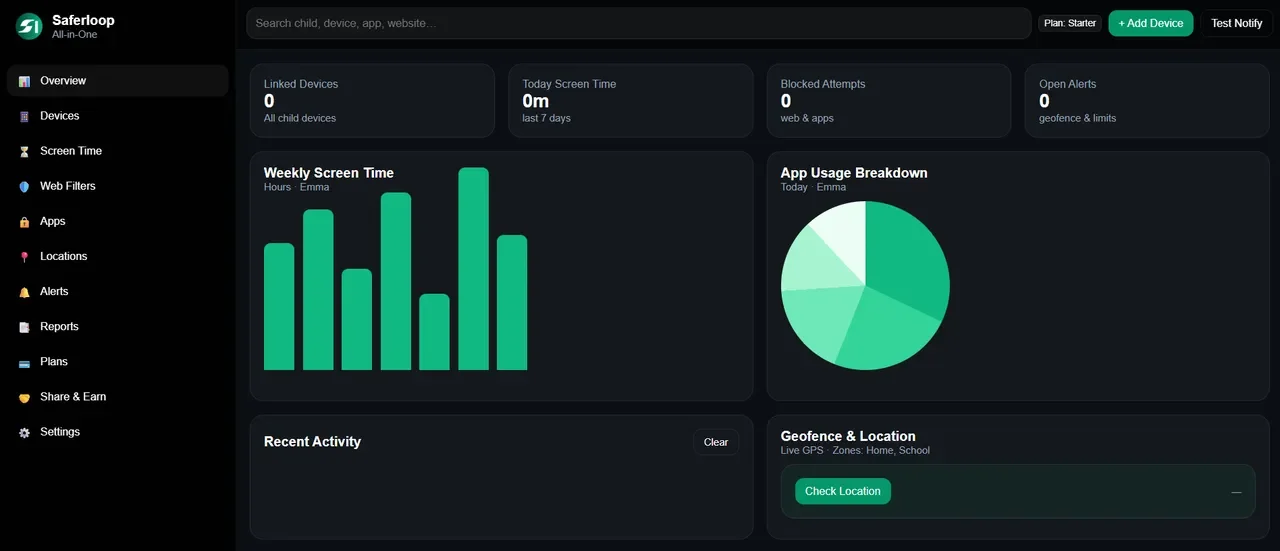
Modern parental controls manage the basics, meaning web filtering, app limits, downtime schedules and location sharing. Some tools bring app management, web filtering, screen time controls and location tracking together in a single dashboard so parents don’t have to track through five different settings menus halfway through a trip. Ordinary moments show why this matters, such as a filter blocking an adult site a sleepy kid stumbles on at night, a downtime program shutting games off at bedtime without anyone having to argue, and location sharing helping a parent find a child who drifted away in a packed resort lobby.
A simple pre-trip checklist starts a week out by updating devices and apps. Filters and app limits should be set up at home first and then tried on a different network, since it is easier to fix a glitch in the kitchen than in a crowded lobby. Wind-down time before bed should be adjusted to the destination time zone rather than that of home. A reputable VPN, which wraps traffic in an encrypted tunnel, should be installed on every device that will touch hotel Wi-Fi. Families should establish a rule everyone knows by heart: no unknown networks, and no tapping accept on a pop-up without asking first. Before checkout, everyone must sign out of streaming and shopping accounts on the room TV.
Safer Holiday Habits in Layers
Safe holiday habits really come down to layers, with hotels handling the network and the apps while parents handle the devices and the ongoing chat about what is acceptable, because neither side can cover the whole room alone. Kids will still hit the wrong button once in a while, which is simply part of being a kid, but decent settings keep that mistake small. Reviewing regulations prior to packing bags is helpful, keeping gadgets from entering the bedroom is useful too, and then evenings can be spent enjoying the view of the sunset. Safe travels.
Hotel Wi-Fi usually connects many guests, making it more difficult to distinguish which networks are authentic and secure. This creates chances that children could connect to unreliable networks or face security threats while browsing the internet. Network segmentation means the physical or logical separation of guests’ equipment from all other parts of the hotel system. While the use of a smart TV can be helpful, any saved streaming accounts and personal data will still be available after using the accommodation, meaning parents need to monitor their use of the television and sign out of all accounts. Device and application updates usually contain essential security features, and installing these updates before traveling helps avoid issues while connecting to an unfamiliar Wi-Fi network at a hotel.
Questions Families Ask About Digital Safety on Vacation
Is hotel Wi-Fi safe for children? Hotel Wi-Fi is a shared network. Treat it like a public space: use device controls, avoid sensitive logins, and keep children’s accounts locked down before you travel.
Why single out the smart TV? Smart TVs in guest rooms are easy to overlook and may keep profiles, apps or viewing history after you leave, so sign out and skip personal logins.
What actually keeps a family safer on holiday? Safe holiday habits come down to layers: updated devices, limited permissions, shared rules about what can be downloaded, and a parent who can take a device back if needed.